
Accurate pixel dimensions for standard playing cards are essential for professionals involved in card design and printing. Card size affects both usability and visual presentation. This article specifies pixel dimensions, explains conversions to pixels, and examines the impact of those measurements on print quality. It also outlines customization options available from WellCards. Upon completion, readers will have a clear, actionable understanding of card sizes in pixels and how to apply that information to their projects.
What Are the Exact Pixel Dimensions of a Standard Playing Card?
Standard playing cards are produced in several common formats, notably poker (2.5 in × 3.5 in) and bridge (2.25 in × 3.5 in). Pixel measurements vary with the chosen print resolution. For example, at 300 DPI, a standard poker card measures 750 × 1050 pixels. Correct pixel specification is essential to ensure artwork fits the card face without degradation.
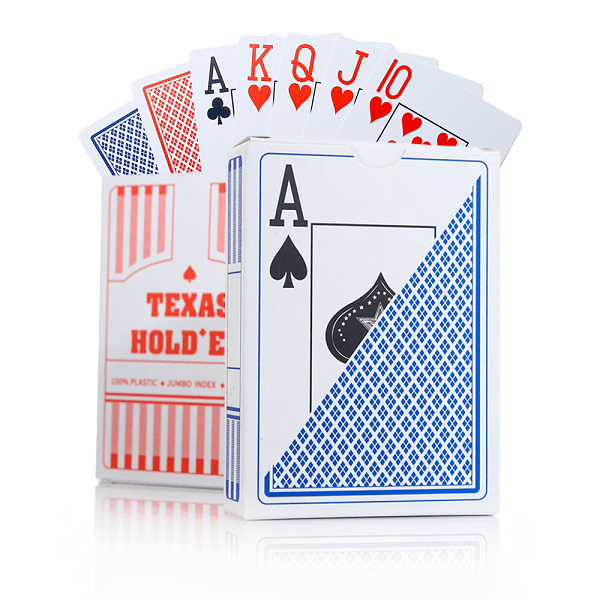
Get a Custom Standard Playing Cards Quote from WellCards
How Do Inches and Millimeters Convert to Pixels for Cards?
Use the formula pixels = inches × DPI to convert physical measurements to pixels. For example: 2.5 in × 300 DPI = 750 pixels. For a bridge card at 2.25 in width, the same calculation yields the corresponding pixel width. Accurate conversion ensures designers’ artwork reproduces correctly in print.
What Is the Typical Pixel Size at 300 DPI for Standard Cards?
At 300 DPI, the typical pixel sizes for standard playing cards are as follows:
- Poker Cards : 750 pixels by 1050 pixels
- Bridge Cards : 750 pixels by 1050 pixels
- Mini Cards : 472 pixels by 708 pixels
- Tarot Cards : 826 pixels by 1417 pixels
These pixel dimensions support high-quality printing and preserve image clarity, which is important for both aesthetics and functionality.
How Does Pixel Size Affect Playing Card Printing Quality?
Pixel dimensions directly influence print quality. Higher pixel counts deliver greater image detail and sharper text, which matters for intricate graphics. Insufficient pixel resolution can produce pixelation or blurring and reduce the perceived quality of the final product.
Research further underscores the relationship between pixel count and print resolution.
Pixel Count & Image Resolution for Print Quality
The time required for a template-matching procedure depends on the number of pixels in a two-dimensional image; increasing image size to improve resolution raises processing time.
Automated visual inspection for the quality control of pad printing, 2002
What Is the Role of DPI in Card Resolution and Clarity?
DPI (dots per inch) determines the density of printed dots and therefore the level of detail and smoothness of gradients. A 300 DPI setting is recommended for professional-quality playing cards to ensure artwork and text remain crisp and legible.
Studies on print quality measurement also highlight the importance of pixel resolution for achieving consistent results.
Print Quality Measurement & Pixel Resolution
The referenced study used an AniCam measuring unit by TROIKA Systems Limited, equipped with a 24-bit colour camera at 640×480 pixels and a view field of 1.25×0.92.
Determining the factors that affect the quality of test prints at flexographic printing, P Ryvak, 2020
How Do Pixel Dimensions Influence Printing Precision and Material Quality?
Pixel dimensions inform the selection of printing techniques and materials. Higher-resolution artwork enables finer printing methods and allows the use of premium card stocks and finishes, such as matte or gloss, to enhance the final appearance. Aligning image resolution with material choice is essential for producing high-end playing cards.
What Customization Options Does WellCards Offer for Pixel-Based Card Sizes?
WellCards offers a range of customization options for clients seeking pixel-accurate playing cards. Clients may specify custom pixel dimensions so artwork aligns precisely with the chosen card format. This flexibility accommodates standard poker and bridge cards as well as bespoke sizes.
How Can Clients Specify Custom Pixel Dimensions for Printing?
Clients specify custom pixel dimensions by providing measurements in inches or millimetres plus the intended DPI for printing. WellCards recommends a minimum order quantity to maintain production efficiency and cost-effectiveness. This process enables the creation of cards tailored to specific requirements.
What Manufacturing Capabilities Support High-Quality Pixel-Perfect Cards?
WellCards employs advanced printing equipment and quality materials, including black core or blue core paper (300gsm), to meet high production standards. Robust quality-control procedures are applied to ensure each card conforms to client specifications and is free from defects.
Where Can Clients Find Reliable Information and Support on Card Pixel Sizes?
Clients seeking authoritative guidance on card pixel sizes can consult WellCards for templates, technical specifications, and design resources.
Get a Custom Standard Playing Cards Quote from WellCards
How to Request a Custom Card Quote Based on Pixel Dimensions?
To request a custom quote, provide precise information on desired card size, pixel dimensions, and any specific design elements. Supplying artwork or design files at the specified resolution expedites accurate pricing and production planning.
What FAQs Address Common Questions About Card Pixel Sizes?
Frequently asked questions commonly address standard dimensions, recommended DPI settings, and the effect of pixel size on print quality. WellCards makes these topics available through its support channels to help clients make informed design choices.
Standard Playing Card Size in Pixels | FAQs
What is the difference between poker and bridge card sizes in pixels?
The primary distinction is width: both card types are typically 3.5 inches in height, while poker cards are 2.5 inches wide and bridge cards are 2.25 inches wide. At a 300 DPI resolution, poker cards convert to 750 × 1050 pixels; bridge cards retain the same pixel height but have a narrower pixel width, producing a different aspect ratio that can affect layout.
How does the choice of paper affect the final card quality?
Paper selection has a direct effect on durability and tactile quality. Premium stocks such as 300gsm black core or blue core paper improve card resilience and provide a premium feel. Paper weight and surface texture also influence colour reproduction and how designs withstand repeated handling.
What are the recommended DPI settings for different types of playing cards?
A DPI of 300 is recommended for most playing-card projects, including poker, bridge, and tarot formats. This setting preserves detail and ensures text and artwork remain sharp. Lower DPI values risk pixelation and loss of fine detail; consult a printing specialist for atypical or specialised requirements.
Can I use my own designs for custom playing cards?
Yes. WellCards accepts client-supplied artwork in specified pixel dimensions. Provide high-resolution files and follow the available templates and guidelines to ensure designs meet printing specifications and result in a polished finished product.
What factors should I consider when designing playing cards?
Key considerations include correct pixel dimensions and DPI, legible font choices, appropriate colour selection, and graphics that suit the card’s intended use. Understanding material options and the printing process also informs design decisions that affect both appearance and handling.
How can I ensure my card designs are print-ready?
Ensure artwork uses the correct pixel dimensions and DPI required by the printer. Convert text to outlines to avoid font issues, use high-resolution images, and observe bleed and margin requirements to prevent unintended cropping. Reviewing a proof or sample prior to full production helps identify and correct issues early.
Conclusion
Precise pixel dimensions are fundamental to producing high-quality printed playing cards. Using the correct DPI and pixel measurements preserves visual detail and ensures design fidelity. Review WellCards’ customization options to develop cards that meet your specifications. For additional information or support, please contact us today.
 English
 Deutsch
 Français
 Polski
 Português do Brasil
 Español
 日本語
日本語 Русский
 العربية
 Italiano
 Nederlands
 Türkçe
 한국어
한국어